9 Free & Cheap Marketing Tools to Boost Productivity
January 7, 2022

CONSUME CREATIVELY
This content is available in:
AUDIO
TEXT
Marketers are always pressed for time (especially because you’re either selling your time OR you’re wearing multiple hats). While I’m not always the fastest draw in the west, I like to think I have a solid process to produce quality work with a reliable turnaround time. Finding ways to improve processes without sacrificing quality is etched into our company culture. The team is always slacking about some awesome new find or another. Don’t even get me started on my new tablet. It’s AMAZING.
Here are our favorite tools to keep creativity flowing and crush lag time.
Publishing Tools
Two of the fastest ways to boost productivity is to stay in the zone and remove clicks. Block off time to write your social posts for a month in bulk. Write all the emails for a quarter the same day. The more you switch modes the harder your brain has to work. It takes time to settle in and switch tasks.
Once your creative is planned, use a scheduler to publish it on the right day at the right time.
My favorite scheduling tools are:

1. Loomly
This monthly service allows you to schedule a social post on multiple networks at once. It lets you edit the content to retro fit it for each network and even gives you tips. As a bonus the software tracks your social performance for ALL the networks you publish to in one place so you only have to learn to use one user interface to review your data. The service starts at $12 a month.

2. Mailchimp
Ok so maybe Mailchimp isn’t my FAVORITE but here’s the deal you can create a template for your emails (which saves a ton of time), pull content for emails from your website and even post to social media about your email all with the free account. I haven’t played with it but you can also use Mailchimp to publish all your social posts and create graphics, which would totally remove clicks. The free plan is good for up to 2,000 contacts and paid plans start at $9.99 a month.

3. Streamyard
This service lets you go live on Facebook, Linkedin, YouTube on multiple accounts with multiple speakers ALL AT ONCE. And you can download the audio or video. When you schedule your Live it will automatically create a “coming soon” post for you which is customizable for each network. BOOM! Not to mention you can make fun branded graphics to overlay on the video, share your screen or video and make it look super professional with no tech experience. The start plan is free and paid plans start at $20 a month.
Organization & Collaboration Tools
My dad always says, “prior planning prevents poor performance.” As a kid that was so annoying. Who wants to plan when you can do!?! But now, I say the same darn thing on repeat. I am turning into my dad. When I stayed the weekend with them earlier this year I absolutely geeked out over many of the tools I’m about to share with you and you know what? He geeked out too. We were so jazzed, and clicked like two geeky hens over a glass of whisky. Mom just rolled her eyes. Only time will tell what camp you’re in…
4. Milanote
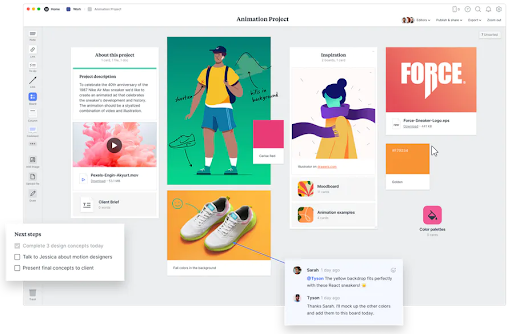
Some people can run their lives from a spreadsheet but if you’re a creative that user interface can feel super uninspiring. This beauty fell into my lap from a marketing email and since I love new tools I gave it whirl, now the whole team is hooked.
Our senior designer Rebecca says “Milanote has been very helpful keeping my sticky notes organized and not falling under my desk into the void.”
You can create a color pallet with your color hex codes for easy reference, check lists, drop images in your board, it’s like a private customizable pinterest. They are always coming out with new features and you can even share your board with others to collaborate. I use the mobile app to keep ideas organized when they pop in my head and they’re waiting for me later when I get to work.
You can use it for free and paid plans start at $9.99 a month.
5. Otter.ai
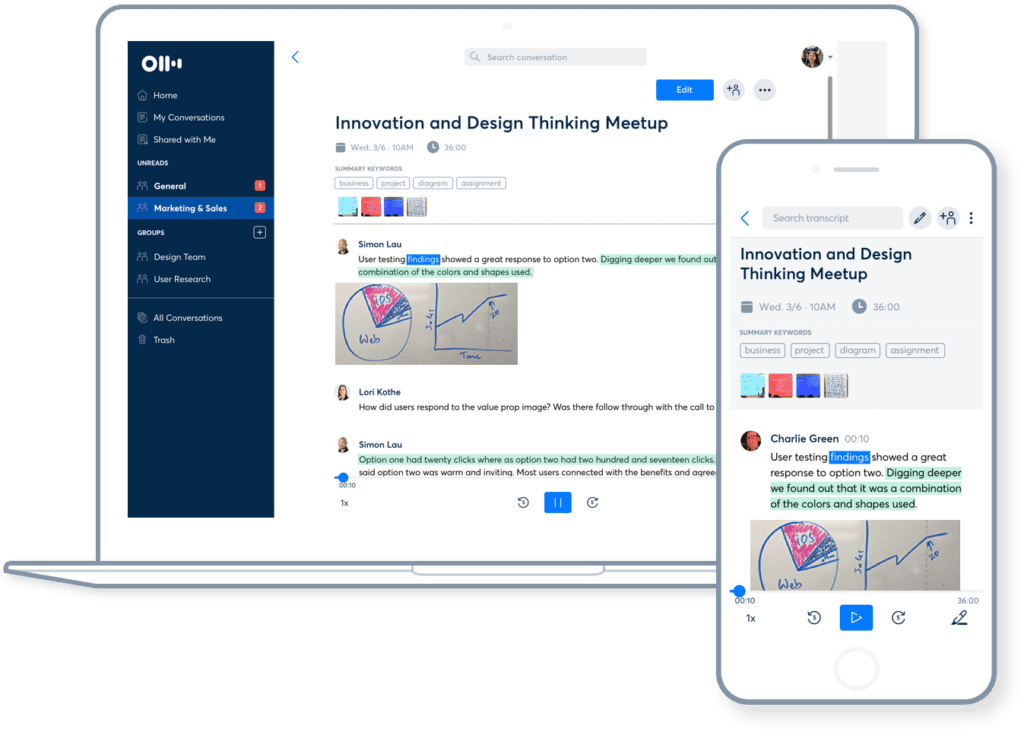
If you’re spending hours transcribing meeting minutes, podcasts or videos. This baby otter will be your new BFF. I even use the mobile app when I’m driving and need to take notes or capture thoughts without a 10 car pile up. I know what you’re thinking. “Yeah but Monica voice typing tools are crap.”
Ok so none of them are perfect, that’s true, but this one is leaps and bounds better than any other I’ve found. They offer a free plan to record and transcribe live and the paid plan starting at $8.33 a month lets you import pre-recorded files to your heart’s content.
6. Loom
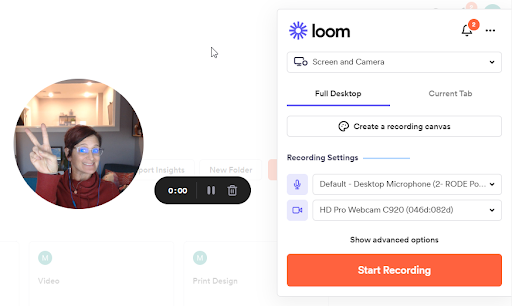
You can capture your screen and your face at once, easily send a link to a teammate or client, and even reply to a video with a video all for free with Loom.
We use this feature to share tutorials with clients and explain design revisions instead of taking FOREVER to type it all out with screenshots.
The free plan will get you going and then if you need to upgrade plans start at $8 a month.
7. Souped Up Screen Capture Tools
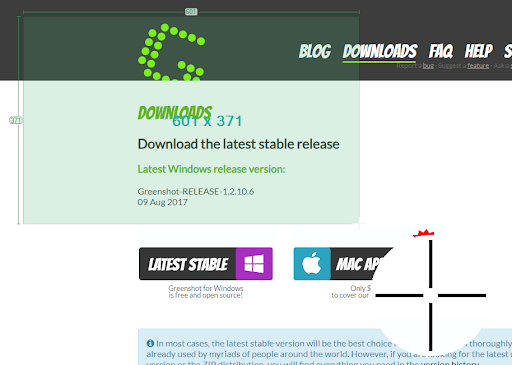
Yes, the photo to the right is a screenshot of a screen shot program…beat that with your snipping tool! Not a single day goes by LITERALLY that I don’t use either Greenshot or Qsnap.
Greenshot is what I used to capture every image in this article. It’s a free screenshot program that allows you to quickly capture part or all of your screen by clicking the print screen key on your keyboard. Then you can decide if you want to pull it into the build in image editor for markup, save as or copy it to your clipboard. Yeah you can use the snipping tool but you have to open it and click at least two times to capture and save an image. And less clicks = more productivity. So drop your snipping habit and try out Greenshot.
Qsnap is a chrome app that takes a screenshot of an ENTIRE page on a website. Not just what you see. You can even collect multiple screenshots into the user interface, mark them up, crop them and save them all at once. It is slick I tell you. And both of these programs are FREE. I have no idea why everyone doesn’t have them. Seriously.

8. Airtable & Airtable Interfaces
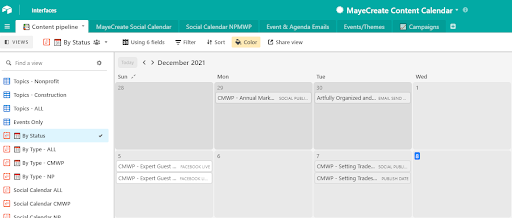
We tried to manage our content calendar no less than a billion different ways over the past 15 years and I’m only exaggerating a little. When our new writer, Elizabeth, joined the team she said she loved AirTable and you know I love new tools so I gave it spin and I WAS HOOKED.
This monster is like a combo of a database, spreadsheet and dashboarding tool ALL IN ONE. Ak! I have it send emails for me, schedule social posts. The new interfaces features even lets me make filterable charts and graphs. It takes things from a spreadsheet to a calendar and I even get to color code them. If it could cook I’d marry it. But my husband is one amazing meat artist so I have to stick with him for the time being.
Airtable offers a free service and plans start at $10 a month, nonprofits get a 40% discount!
9. Zapier
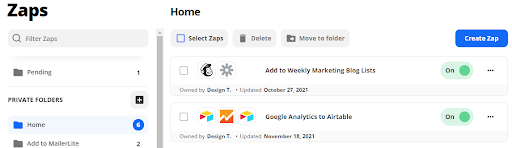
When it comes to productivity I be zappin’. This darn service easily connects tons of different online systems and transfers data back and forth like magic. It zaps people into my email marketing software, puts meetings on calendars, puts data into spreadsheets. It’s freakin’ magic. We make it rename in-take documents and employment applications and save them in Google Drive folders or drop box.
Using it to take the manual reconciliation out or your marketing processes will save you so much time and all you have to do is use your imagination to put it all together. Umm and they have a free plan. Starter plan has a base price of $19 a month. But I personally have the $50 a month plan because that’s how much time it saves me, it really is worth it.
Who Manifested This Madness?

This fabulous human, that's who.
Monica Maye Pitts
Monica is the creative force and founder of MayeCreate. She has a Bachelor of Science in Agriculture with an emphasis in Economics, Education and Plant Science from the University of Missouri. Monica possesses a rare combination of design savvy and technological know-how. Her clients know this quite well. Her passion for making friends and helping businesses grow gives her the skills she needs to make sure that each client, or friend, gets the attention and service he or she deserves.