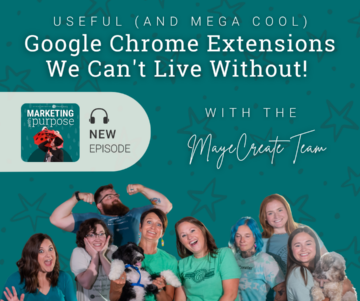
Useful (and Mega Cool) Google Chrome Extensions We Can’t Live Without
December 13, 2024
CONSUME CREATIVELY
This content is available in:
AUDIO
TEXT
“I have a Chrome extension for that!” became Monica’s catchphrase at one point, or so Stacy swore.
The MayeCreate team isn’t far behind.
We’re bonafide Chrome extension junkies.
Some of us have collected so many we have to toggle them off and on so we don’t get overwhelmed! And we are forever recommending our favorite extensions to clients to save time and improve workflow.
Like anything else, some Chrome extensions are awesome, while others are just ho-hum. Some are well-maintained and evolve with the browser, while others become stagnant and age out. This episode is packed with a few of the extensions we use on a nearly daily basis that stand the test of time and allow us to do more, faster!
So if you’re a marketer or just a human working at a computer and pressed for time and looking for ways to:
- Streamline your workflow
- Stop copying and pasting things into other applications
- Show someone revisions on a web based project,
- Check your spelling and grammar
- OR even just be greeted by a super cute creature every time you fire up Chome…
Come hang out with us in this week’s episode as we gush about our favs and maybe find one or two Chrome extensions to try for yourself.
Featured Resource
What to Put on Your Website
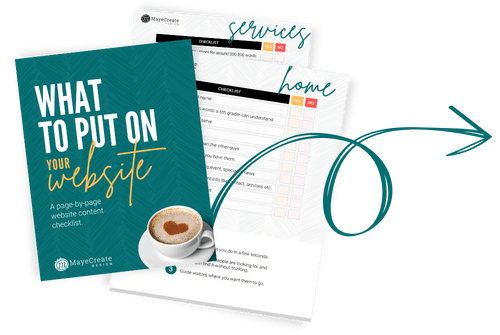
Learn what to put where and how to make it all come together for a website that’s as easy to use as a coffee cup.
Get Instant Access!If you’re looking for a way to:
- Streamline your workflow
- Stop copying and pasting things into other applications
- Show someone revisions on a web based project
- Check your spelling and grammar
- OR even just be greeted by a super cute creature every time you fire up Chome…
You need to install some Chrome extensions.
For those of you who don’t know a Chrome extension is like a nifty little app you install on your browser. I usually find them by searching for “chrome extension to ____________”. Some are free, others are paid. And there’s a store, the Chrome Web Store, where you can sort through extensions and themes and other ways to customize your browser.
The MayeCreate Team LOVES Chrome extensions.
We build websites (we have since 2005) and when we transitioned to a 4 day work week in May 2023 we had to do some serious streamlining. Chrome extensions are just one of the tools we use to do the same job faster so we don’t have to take a pay cut.
We are forever recommending our favorite extensions to clients to save time and improve workflow. After all, like anything else, some Chrome extensions are awesome, while others are just ho-hum. Some are well-maintained and evolve with the browser, while others become stagnant and age out. Here are some of the extensions we use on a nearly daily basis that stand the test of time and allow us to do more, faster!
Jump to category
Useful (and Mega Cool) Google Chrome Extensions We Can’t Live Without
Efficiency & Productivity
AI Grammar Checker & Paraphraser

WHAT DOES IT DO?
It tells you everywhere that you need to put a comma and every misspelling.
This free extension ensures that your writing is error-free. LanguageTool detects many errors that a simple spell checker cannot, such as grammar issues, commonly confused words, and punctuation oversights. Additionally, LanguageTool offers style suggestions to elevate your writing: synonym replacements for overused words, concise rephrasing of wordy sentences, and formal alternatives to commonly used expressions.
WHICH MAYECREATER LOVES IT MOST? Stacy
TextExpander: Keyboard Shortcuts and Templates

WHAT DOES IT DO?
Efficiency tool for pulling in blocks of formatted text templates.
Customizable and shareable snippets of text that allow you and your team to fly through repetitive tasks quickly by expanding the things you type regularly with just a few keystrokes. You can save links, code snippets, email templates and more-just insert them where you need them by typing in your saved shortcut!
WHICH MAYECREATER LOVES IT MOST? MaKayla
RiteTag

WHAT DOES IT DO?
Gives social media tagging suggestions.
Get hashtag suggestions for images and texts on any site (great for Instagram, Pinterest, Twitter, Facebook, LinkedIn).
Sadly though this extension may potentially be on it’s way out because it’s not following all of Google’s rules (as of Oct. 2024) but if you want something similar check out:
- Hashtag ToolTips -An analytical tool that reflects the count of followers of hashtags to enhance your posts for better reach.
- Hashtag Generator – Generates catchy and relevant hashtags based on a keyword.
- Hashtag Analytics by Engage AI – Allows LinkedIn power users, business owners, social media managers, and digital marketers to discover the most relevant hashtags that give them the best organic reach.
WHICH MAYECREATER LOVES IT MOST? Kaitlyn
Awesome Screen Recorder & Screenshot

WHAT DOES IT DO?
Record or take a picture of your screen.
The easiest screen recorder and screen capture & screenshot tool Stacy has found to record her screen. It has features that allow you to annotate images and video and is easy to download and share. This makes sharing revisions waaaaay easier!
WHICH MAYECREATER LOVES IT MOST? Stacy
Event Merge for Google Calendar

WHAT DOES IT DO?
Merges shared events into one when looking at multiple calendars.
Any other Google Calendar users overstimulated by a calendar event that multiple people are in? This extension takes anyone who has overlapping events on their calendar and compiles them into a single block so it is one single event on your calendar. The new condenses block is striped with the colors of the different calendars so it’s much easier to see and manage events.
We do love this extension, though it may potentially be on it’s way out because it’s not following all of Google’s rules (as of Oct. 2024) but if you want something similar check out Cal Merge for Google Calendar. It’s almost exactly the same and allows you to visually merge the same event on multiple Google Calendars™ into one event.
WHICH MAYECREATER LOVES IT MOST? Tyler
ActiveCampaign

WHAT DOES IT DO?
Allows you to quickly add and manage contacts in ActiveCampaign.
This is the platform we use for all of our contacts and email marketing. In the extension, you just click the icon and add the basic client info,like their email, and then it very quickly adds them to the database. You don’t have to log into Active Campaign, create a new user and all those other steps!
WHICH MAYECREATER LOVES IT MOST? Kerra
Web Development
Wappalyzer

WHAT DOES IT DO?
Shows what websites are built with.
Wappalyzer is a technology profiler that shows you what websites are built with. Find out what CMS a website is using, as well as any framework, ecommerce platform, JavaScript libraries and many more on ANY website just by clicking this little purple extension.
WHICH MAYECREATERS LOVE IT MOST? Tyler & Stacy
WordPress Theme Detector & Plugin Detector

WHAT DOES IT DO?
Tells you what theme and plugins a WordPress site is using.
WordPress Theme Detector can detect installed WordPress Themes and WordPress Plugins on any website. If you are viewing a WordPress site, the extension icon turns blue, if the current website doesn’t have WordPress, the extension icon will turn gray.
WHICH MAYECREATERS LOVE IT MOST? Tyler & Stacy
WAVE Evaluation Tool

WHAT DOES IT DO?
WAVE is a web accessibility evaluation tool.
It provides visual feedback about the accessibility of your web content by injecting icons and indicators into your page. It’s a quick and easy way to see if your website meets ADA compliance standards and identify what improvements need to be made.
WHICH MAYECREATER LOVES IT MOST? Rebecca
Tag Assistant & Tag Assistant Companion

Identify and Troubleshoot Google Tags
Tag Assistant helps you make sure that your website has Google tags for Google Analytics, Google Ads, Tag Manager, and more, plus see if they’re working correctly.
WHICH MAYECREATER LOVES IT MOST? Tyler
Web Design
WhatFont

WHAT DOES IT DO?
Shows you the fonts and their styling on any website.
Say goodbye to the complexity of developer tools for identifying fonts. With WhatFont, discovering the fonts used on websites becomes as effortless as hovering over text.
WHICH MAYECREATER LOVES IT MOST? Monica
EyeDropper

WHAT DOES IT DO?
Tells you what color is on a website.
Eye Dropper allows you to easily pick a color from any web page or an advanced color picker and see the hex code, rgb, hsl and hsv of the selected color. Aaaand you can copy and paste them too!
WHICH MAYECREATERS LOVE IT MOST? Monica, Tyler & MaKayla
Fun
Tabby Cat

WHAT DOES IT DO?
A new friend in every tab.
Tabby Cat is the extension that brightens your day with a new animal in every new tab.Tabby Cats blink, sleep, and even let you pet them – just like real cats! Also have dogs, penguins, pigs, bunnies and more!
WHICH MAYECREATER LOVES IT MOST? Tyler
Go try one of these out or find an extension you love!
To sum it up, the right Chrome extensions can transform how you work, bringing more efficiency, creativity, and even a little fun to your day. Our team uses these extensions (and a gazillion more) to save time, reduce redundancy, and create better results for our clients.
From boosting productivity to adding a touch of joy to each browser tab, these extensions have been game-changers for us, and we hope they’ll do the same for you! So dive into the Chrome Web Store and find the tools that fit your workflow – happy browsing!
Connect with Monica & the MayeCreate Team
Who Manifested This Madness?

This fabulous human, that's who.
Monica Maye Pitts
Monica is the creative force and founder of MayeCreate. She has a Bachelor of Science in Agriculture with an emphasis in Economics, Education and Plant Science from the University of Missouri. Monica possesses a rare combination of design savvy and technological know-how. Her clients know this quite well. Her passion for making friends and helping businesses grow gives her the skills she needs to make sure that each client, or friend, gets the attention and service he or she deserves.