The Best, Most Affordable Logo Design Options We’ve Found
April 14, 2023
CONSUME CREATIVELY
This content is available in:
AUDIO
TEXT
I’m sharing some of my best secrets today to help you to create an affordable logo design for your company without breaking the bank.
And once you figure out the strategy that works best for you, hop on over and explore the Tips for Making a Logo – 6 Key Logo Planning Decisions to make sure you get exactly what you want.
First, though, I want to throw you a little curveball. You have to understand some things about designers and the design process before we can get started.
Two Different Kinds of Designers
Just like there are different types of architects, or doctors with different specialties, there are different types of designers.
Designers who work with lots of things
This is the type of designer at MayeCreate. They’re web designers and do a great job organizing a lot of information and making it consumable for people. We don’t overwhelm easily when you tell them there has to be a whole bunch of stuff on a website, we organize. That’s what we do every day, and we’re really good at it.
Designers who work with a few things
This type of designer does a really good job of making something simple look beautiful. They’re good at making things with only a few components like logos, signs or business cards because they know how to make the information pop and be beautiful.
What this means for you
Some designers can be both types, and design all kinds of stuff.
Others stay pretty niche.
My team is niche because we mostly design and build websites. So, we had to come up with a way to get our clients lots of designs for their company’s logo and do it in a cost-effective way, and that’s what I’m going to explain to you now…
Two Awesome Options to Get a Great Affordable Logo Design
Let’s get to why you clicked on this post in the first place. You want to know how we figured out how to get great logos without spending an arm and a leg.
Option 1 – Canva
This first option works well for creative people who like to get their hands in the mix. If you’re that person, I want you to go to Canva and play with their logo templates.
Canva is an online program that allows you to create anything, from logos to brochures. It’s an online design tool with free and paid programs. For my nonprofit friends, you can get the pro version of Canva for free.
I use the Pro version of Canva, and it is awesome. We do a lot of stuff in it because it is easy, fast and brings all the things I need together in one place.
Stay with me, graphic designers…
The graphic designers out there are like, “are you kidding me, Monica? No, no, no, no, no, you do not design a logo in Canva.”
Let me take just one step sideways for a second and say I am not saying Canva is the perfect logo design software. What I am saying is that Canva is an awesome, inexpensive way to get lots of logo design ideas.
Using Canva’s logo templates
Start by creating a logo file in Canva then use Canva’s search feature to search for things related to the logo I’m trying to put together.
So, if I think I’m going to make a podcast logo, I would type in “podcast.” Then it shows me all kinds of logos that are related to podcasts. Or, if I want to do something science related, I type in “science,” and it shows me all kinds of science-related templates.
Canva has many other icons you can add to your design and swap out for the ones on the templates.
Working with a team on Canva
Another positive thing about Canva is the comment feature. If you’ve got a team who will review this logo with you, you can use the comment feature on each of your artboards to talk back and forth about the work.
That is handy because your revisions won’t be spread out through multiple emails or documents.
Challenges with Canva
You’re probably going to need another program to comp your logo out.
Comp is an industry term, and it means to make your logo (or any design) ready to go on anything. It could go on anything from a website to a billboard, and you need the right file types to do that. Canva doesn’t give you those options.
The other thing it’s not going to do is get super flexible with the way your logo looks. You’ll get a lot of great ideas, but you are limited with your design flexibility with Canva because you don’t have a pen tool like you would in a program like Illustrator.
What is Illustrator?
Illustrator is a professional design tool by Adobe that allows you to make icons, graphics, logos, illustrations, all kinds of things. It’s a really powerful program. But, if you’re not used to using it, it can be a lot.
I’ve been trained in Illustrator but I don’t use it on the daily. So I struggle when I first start the program and can’t remember how to do anything. It can be overwhelming for me as a graphic designer who’s been doing this for over 20 years, and it’s probably going to be overwhelming for the beginning designer as well.
The pen tool
The pen tool in Illustrator gives you the ability to draw any shape of line you can imagine. In Canva, you have to find a graphic near the shape you want. You can’t do a lot of advanced typography manipulation in Canva.
So if you’re looking for some crazy version of a W that turns into a bird, Canva is not the right program for you. Instead, you need something like Illustrator with the option to use the pen tool to make shapes come to life.
Give Canva a Try
If you like using new software, it’s worth giving Illustrator a whirl after you’ve gotten started in Canva.
I’ve created a lot of really cool affordable logo designs in Canva, and you can too. Get out there, look at those templates and give it a try. It’s a great inexpensive option for those who want to be involved and get their hands in the creative process.
Option 2 – Logo Tournament
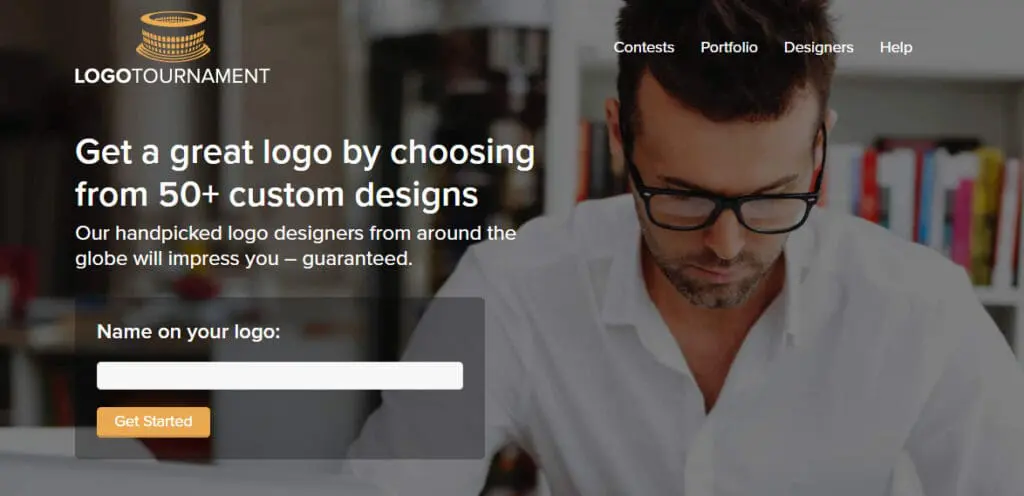
We have used Logo Tournament I don’t know how many times for our clients. It is such a great secret to design inexpensive logos, I’m hesitant to tell you about it. But I’m going to because I told you I would.
When to use Logo Tournament
Logo Tournament is great if you’re not creative or need a whole bunch of options to look at. Or, God bless you if you are doing design by committee.
Please don’t design by committee.
How Does Logo Tournament Work?
You can buy different packages, but most of the time, we use the least expensive package for our clients, which is $275.
You will go through their onboarding process, which is all online, and fill out a form. Through the form, you will pick designs you think are cool and then give art direction. You’ll share what colors and fonts you like and give them ideas to start with if you have any. Then, you enter your payment information, and the tournament starts.
Plan for Your Logo Tournament
Your logo tournament does not go on forever. You won’t have months to get this done. You’ll actually have about a week.
So, you need to start it in a week when you can commit yourself to interacting with your designers and giving them the feedback they need to refine their designs for you.
If you just start the tournament and never interact with the logo designers, then you won’t get anything out of it. Well, you’ll get the initial logos out of it, but then people will not send you anything else, and you won’t get nearly as many options or specialized designs.
Schedule everything ahead of time.
Stacy is the one who sets logo tournaments up for MayeCreate, and she always starts them on a Saturday. Then she suggests we have our choices narrowed down to five designs by Wednesday so that we can give the designers the final revisions on a Friday afternoon.
That means you need to plan your meetings with your decision-makers ahead of time. Put it on the calendar before you even start the logo tournament.
Then, when you’re organizing your designs to share with your decision-makers, show them the ones you like best. If you’re designing by committee, it is a lot easier to do some narrowing down before you meet.
Communicate with the Designers
As soon as you start your logo tournament and the logo designs are rolling in, rank the logos. Once you’ve ranked the designs, you’re also going to send suggestions back to the designers on all the designs you like. You’ll tell them what you like about the designs and what you would like to see differently.
Get creative, and give them feedback, because then they will revise their designs and upload their revised designs for you.
When we regularly interact with the designers, give them revisions and rank the logos, we get anywhere from 40 to 140 designs back for our clients to choose from. That’s really fun because you can see all the options, which is perfect for the person who will know it when they see it.
How not to communicate with your designer
You cannot tell a designer to make their design A more like someone else’s design B. That’s not allowed.
You can say, “will you make it look like this,” and describe the elements you like in design B. You just can’t refer back over to design B.
What if you like more than one design?
There have been so many times that we’ve run these logo tournaments and ended up with two designs we love. In those situations, at the end of the tournament, you offer to pay the designer of the logo you didn’t pick for the design you liked.
You can email them and say, “hey, we’ll pay you a couple hundred for this design, is that okay?” They usually say yes, because they already did the work and want to get paid for it. Then you Venmo them or pay them however they ask you to do it. Then you have two affordable logo designs.
Once you own those two designs, you can give them to whichever designer you want and ask them to combine the two ideas. You own them at that point and have the right to do that.
If you don’t buy the second design, you legally don’t own that art. The designer still owns the art, and it’s not right to use it. We’ve got to respect people’s talents.
We’re always above board and make sure that we buy any designs we like and want to Frankenstein together to make a final logo for somebody.
* I am not paid to promote these options *
I am not getting paid by Canva, Illustrator or Logo Tournaments to talk about them. Seriously, they don’t pay me any money. I pay them money, actually. These are totally unsolicited advertisements for these programs because no one is getting a kickback for saying nice things. Maybe they should…
Now you know all my affordable logo design tricks.
Seriously, you have everything you need to create an inexpensive logo design for your company.
If you want to be hands-on, go to Canva and use their templates. It’s a lot of fun. I do it all the time, and it gives me tons of ideas and gets me started in the right direction.
If you’re not a designer or designing with a committee, start a logo tournament. They’re super inexpensive, and you’ll get tons of ideas.
I hope you learned something and will try at least one of these two techniques for getting an affordable logo design. Stay tuned because I have a lot more to say about logos. Check out the 6 Tips for planning your logo design.
If your organization is just starting out or re-branding and you need a new website, don’t hesitate to give us a call for free consultation and estimate or checkout our Better than DIY Website Program for training to build your website yourself!
Who Manifested This Madness?

This fabulous human, that's who.
Monica Maye Pitts
Monica is the creative force and founder of MayeCreate. She has a Bachelor of Science in Agriculture with an emphasis in Economics, Education and Plant Science from the University of Missouri. Monica possesses a rare combination of design savvy and technological know-how. Her clients know this quite well. Her passion for making friends and helping businesses grow gives her the skills she needs to make sure that each client, or friend, gets the attention and service he or she deserves.